It's completely normal to feel anxious about OnlyFans age verification. Many new creators worry about sending selfies, uploading ID, and making mistakes that delay approval.
This guide is for adults 18+ who want clear, secure instructions—without scare tactics.
The short answer is yes: when you create and earn on OnlyFans, age and identity verifications are essential to the setup process. After reading this, you will know what documents to prepare, how to submit them safely, why accounts get denied, and what to do next without confusion.
Key takeaways:
- what OnlyFans age verification is really checking
- which ID and photo details usually matter most
- how to pass the process more smoothly
- why only fans age verification not working is such a common search
- what “only fans age verification states” and “only fans age verification uk” can mean for you
- how to lower stress after approval without giving up control of your account
If your goal is to get approved without feeling reckless with your personal information, this article will help you move forward with a calmer plan.
Understanding age verification on OnlyFans
This section covers what platforms are actually trying to verify and why the process can seem so strict. This will help you distinguish between the fundamental reasons for age verification and the misinformation circulating around online.
For creators aiming to post content and generate income
According to Ondato's case study on OnlyFans, creators and fans must be 18+ to access, view, or post content on the platform.
For creators, that means age verification is not an optional extra step before monetization.
The verification process includes both age and identity verification
The process isn't just confirming you are over 18. It also checks that the person creating the account matches the government ID and the selfie they submit. Ondato states that age and identity verification are key components of OnlyFans’ security protocols.
Who can see the ID you upload (and how it’s handled)
Most platforms run verification through a dedicated identity-check flow. In many cases, automated checks handle most reviews, and a trained reviewer may only step in if something is unreadable or doesn’t match.
If you’re worried about privacy, keep it simple: upload from your own device on a private connection, use the platform’s official upload screen (not random links from DMs), and never re-share your ID images after submission.
The process feels stricter due to increased legal requirements
In 2025 and 2026, age checks have received more regulatory attention in parts of the U.S. and the UK. That does not necessarily mean the creator verification workflow changed overnight, but it does help explain why platforms may be under more pressure to maintain strong age and identity checks.
Source: https://ondato.com/case-studies/onlyfans-case-study/
What you need before getting started
This section covers the basic rules that usually matter before you upload anything. It helps you avoid the small mistakes that can waste time and make the process feel worse than it needs to. Before you start, take one minute to check that your ID is valid, your profile details match, and you have good lighting ready.
Use a valid government-issued ID
Infloww’s guide says creators are typically asked to use a government-issued document such as a passport, ID card, or driver’s license. A passport may give the best results, but the main point is that your document needs to be real, not expired, and easy to read.
Make your photos simple and clear
The same guide says you should capture the full document without cropping, use good lighting, and avoid glare. For the selfie step, it recommends a plain white background and no accessories like hats or glasses.
Make sure your profile information matches your ID
Before you submit, fill in your information exactly as it appears on the document. Small mistakes in your legal name or other required fields can lead to rejection, even if your photos look fine.
Source: https://infloww.com/blog/onlyfans-verification-not-working
How to submit your ID safely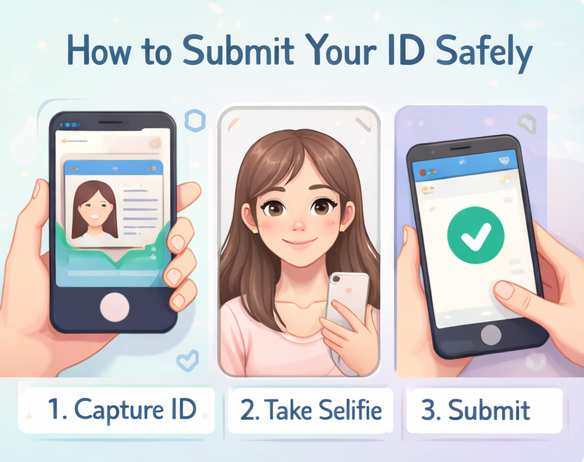
This section walks through the safest way to handle the upload itself. It is useful if your biggest fear is not the rules, but the feeling of sending personal information the wrong way.
Set up your space before using the camera
Find a bright, private spot where you can take your time and double-check before uploading. A clean background, steady hands, and balanced lighting will reduce the risk of rejection due to blurry photos or glare. For example, set your phone on a small tripod (or a stack of books) in front of a plain wall and use natural window light.
Follow the instructed steps exactly
According to Infloww, even if you start on a computer, Ondato's verification flow may redirect you to a mobile device via a text link or QR code. From there, upload the requested ID images and complete the selfie step exactly as shown on screen.
Double-check everything before submitting
Read your typed details one more time. Make sure the file is clear, the corners of the ID are visible, and nothing is cut off. Going slower here is smarter than getting stuck in a resubmission loop. That extra 30 seconds can save you a full re-upload.
Source: https://infloww.com/blog/onlyfans-verification-not-working
Common reasons for OnlyFans age verification failure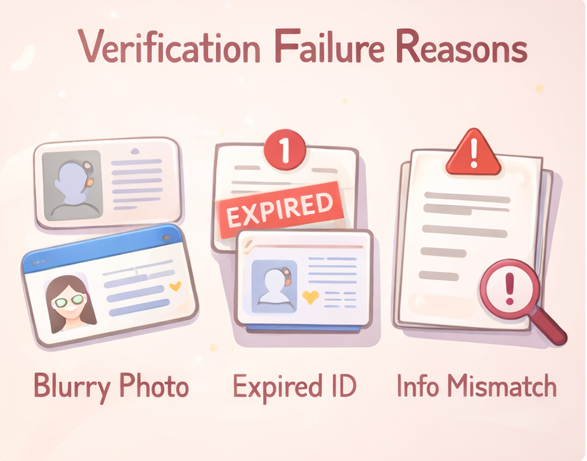
This section covers the most common reasons people get stuck. It helps you troubleshoot the actual issue instead of panic-searching “how to pass onlyfans age verification” after every failed attempt.
Quick tips to avoid getting stuck:
- Avoid glare: move away from overhead lights and use window light.
- Hold the ID by the edges: keep fingers off the text and don’t place it on a reflective surface.
- Keep all four corners in frame: even slight cropping can trigger an automatic rejection.
Your ID photo may be too dark, blurry, or cut off
Infloww lists expired ID, dark or blurry photos, and poor image quality as common rejection reasons. It also says image files need to meet upload requirements, including JPG or PNG under 7MB.
The information you entered may not match
Typos, missing fields, or details that do not match your document can create problems. This is one reason the process can feel random when the real issue is just one small mismatch.
Additional information may be requested in addition to your ID
Infloww also says OnlyFans may ask for extra information such as address details, public social links during verification, or a final selfie holding your ID. That can surprise new creators who expected one quick upload and done.
Source: https://infloww.com/blog/onlyfans-verification-not-working
If your verification keeps hitting errors even after fixing these issues, this dedicated guide to age verification not working covers every specific error — selfie, camera, QR code, and link failures — with step-by-step fixes for each one.
Potential changes driven by US state laws and the UK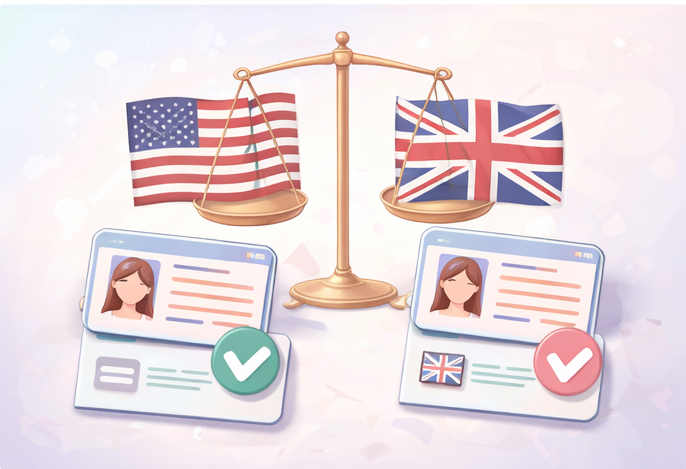
This section explains why age checks can feel different depending on where you are. It helps you understand the bigger compliance picture without turning this into a legal lecture.
Some U.S. states already have active age-verification laws
The Free Speech Coalition’s tracker shows laws in effect across multiple states, including Louisiana, Utah, Texas, Virginia, Florida, and Arizona, among others. That does not automatically tell you your creator verification result, but it does explain why extra age-gate pressure exists in the U.S. right now.
The UK is also pushing for stricter age verification measures
Ofcom fined Fenix International Limited £1.05 million in March 2025 for failing to accurately respond to requests about age-assurance measures on OnlyFans. Ofcom’s notice also describes the role of live selfies and secondary age checks in that review context.
Always assume that compliance rules are subject to change
This is not legal advice, and OnlyFans policies are subject to change. A VPN can change what location a site sees, but it can’t replace ID-based age and identity checks. Always check the current Terms of Service. The main takeaway is simple: do not rely on “bypass only fans age verification” tips when the legal and platform rules may shift fast.
Sources: https://action.freespeechcoalition.com/age-verification-resources/state-avs-laws/, https://www.ofcom.org.uk/online-safety/protecting-children/ofcom-fines-provider-of-onlyfans-1.05-million,
Steps to take if you're still uncertain
This section gives you practical next options. It is here to help you move forward safely, not force yourself through the process before you feel ready.
Once you're verified and ready to launch, the next step is making sure your page is set up to actually earn — this beginner's guide to setting up OnlyFans covers everything from pricing to your first welcome DM.
Fix one problem at a time before you retry
If you get rejected, do not change everything at once. Start with the most obvious issue: image quality, expired ID, mismatched details, or missing requested info. That makes the next attempt easier to judge.
Set up your public creator environment first
If you are worried about security, use a separate creator-facing setup before you apply. That can mean a dedicated email, a clear creator bio, and social profiles you are comfortable making public for review if needed. Infloww notes that public social links may be requested during verification. If you’re asked for a social link, an account with zero posts can look unfinished—adding one or two basic, non-explicit posts that show you’re a real person can help the review go smoother.
Reduce your post-approval DM workload and build genuine connections
Passing verification is just the first step. For many creators, the real anxiety starts after approval: the daily pressure of managing endless DMs.
This is where FanPort comes in. It is not an automated bot that talks to your fans behind your back. Instead, FanPort is a human-led, AI-assisted tool designed to draft and suggest responses, saving you from DM burnout while you retain total control over your account.
Because you always review and send the final messages—especially for your VIPs and loyal subscribers—you can focus on building deep, authentic relationships. You don't need a massive follower count to succeed; by boosting your engagement and connecting directly with your most dedicated fans, you can maximize your earnings without sacrificing your personal life.
Want to grow faster with this service? Click here.
FAQ
Can you bypass OnlyFans age verification?
No safe answer is to bypass it. A VPN can hide your location, but it can’t replace an ID check. The better move is to fix the rejection reason and follow the platform’s current process. Policies and laws can change, so workaround tips age badly.
How do you get approved for OnlyFans age verification?
Use a valid government-issued ID, upload clear images with no glare or cropping, and make sure your typed details match your document exactly. A plain background and clean selfie also matter.
Has OnlyFans introduced a new age verification system?
The core remains age and identity verification. In 2025 and 2026, age checks have received more regulatory attention in some regions. That does not necessarily mean the creator verification workflow changed overnight, but it may help explain why platforms are under more pressure to maintain strong checks.
Why is OnlyFans age verification not working for me?
The most common reasons include blurry photos, expired ID, file issues, mismatched details, or extra requested information not being completed.
What are age verification states on OnlyFans?
It usually refers to U.S. states that have active age-verification laws or age-gate rules that increase compliance pressure around adult platforms.
Is OnlyFans age verification different in the UK?
UK regulation has been especially active around age assurance. Ofcom’s 2025 enforcement action shows that age-check systems there are under serious scrutiny.
Why do Reddit discussions about OnlyFans age verification vary so much?
Because people often post from different states, different countries, or different points in the review process. The safest path is to follow the current platform flow and trusted source material instead of copying random workaround advice.