If your profile gets views but not many subscribers, your bio is probably doing “too little” in the opening seconds. The solution isn't to make it perfect. It’s to make it clear.
Key points covered:
- How to write a compelling 160-character hook
- How to pick niche keywords without sounding spammy
- How to format your bio for mobile
- How to set boundaries that protect your time (and reduce churn)
- How to guide new subs into better DMs (where loyalty is built)
A good bio can help you get the sub. A good DM experience can help you keep them.
OnlyFans Bio Tips: Crafting a 160-Character Hook
This section covers three fast wins:
- What to write in the first line
- Hook templates you can copy
- Common mistakes that make people leave
We’ll go in that order.
Who You Are and Who Is Your Audience
Your first line should answer: “Why should I stay on this page?”
Keep it simple:
Identity + niche + vibe (in one breath).
Quick template: [who you are] + [main niche] + [vibe] + [schedule or perk].
Example:
- “Gym girl + foodie. Daily pics, cozy chats, and weekly mini photo sets.”
- “Alt cosplay creator. Cute chaos. New sets twice a week + fast replies.”
You don’t need to to be liked by everyone,it's about attracting the right people.
3 Proven Hook Templates
- “I am X for Y.”
Example: “I’m your soft-girl gamer for late-night vibes and daily updates.” - “Niche + schedule.”
Example: “Cosplay + fitness. New sets Tue/Thu. I reply in under 24h.” - “Promise + proof.”
Example: “Chatty creator. Daily posts + I actually answer DMs.”
Common Hook Mistakes to Avoid
- “Welcome to my page 😊” (too generic)
- Long paragraphs (hard to scan)
- Trying to list everything in bullet points (confusing)
Keep in mind that you have limited space in your profile. Many creators fill their 1,000-character bio carelessly,
Source: https://www.supercreator.app/guides/onlyfans-bio-ideas-and-tips
OnlyFans Bio Tips Adding Niche Keywords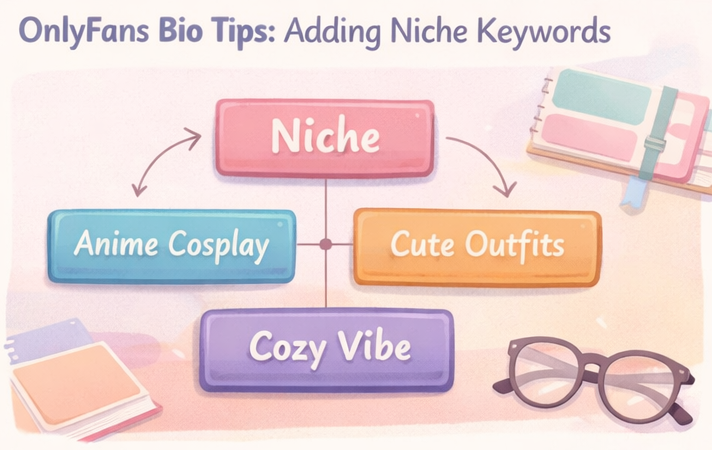
Here you’ll set “what you’re about” in a way that search engines and real humans both understand:
- pick one main niche
- add 2 supporting details
- Quickly check for clarity
1 Primary Niche and 2 Supporting Details
Pick one primary niche you want to be known for. Then add two details that make it specific.
Example:
- Primary niche: “cosplay”
- Supporting details: “anime nights” + “handmade outfits”
Or:
- Primary niche: “fitness”
- Supporting details: “home workouts” + “meal prep”
This makes you easier to find. And easier to trust.
Where to place niche keywords (without stuffing):
• First line: 1 core keyword (your Primary niche)
• Value list: 1–2 supporting details (style, schedule, what’s included)
• Pinned post/menu: longer details + pricing (keep the bio clean)
Adding Personal Details: Style, Location, and Vibe
You don't need complex search terms. You need natural details that create a clear impression.
Add one or two of the following:
- Style: cozy, sporty, alt, girl-next-door, glam
- Location (optional): “SoCal,” “NYC,” “Texas”
- Vibe: funny, shy, chaotic, chill, flirty (keep it PG)
Example line:
- “Texas fitness girl with a soft, playful vibe.”
A Quick Checklist for Niche Clarity
If a stranger reads your bio for 5 seconds, they can identify,
- What’s your main niche?
- What’s your vibe?
- Why subscribe now?
If even one answer is "I'm not sure," make it simpler.
Copy/paste mini bio (4 lines):
Line 1: [Main niche] creator + [vibe]
Line 2: New posts: [days] / [frequency]
Line 3: DMs: [reply window] + [what you’re best at]
Line 4: Start here: check my pinned post 👇
Mobile-Friendly Profile Formatting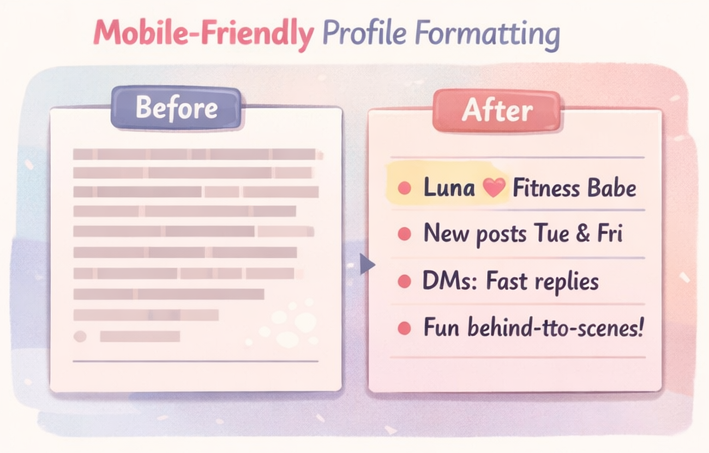
This section covers how to make your profile easy to read on mobile:
- clean layout rules
- what your “value list” should include
- a quick before/after example
Let's look at the elements.
Clean Layout Elements: Line Breaks and Bullet Points
Most people tend to skim. So format like a menu:
- short lines
- line breaks
- 3–6 bullets
- light emoji (optional)
Make sure it can be read within 10 seconds.
Emoji + special character note:
• Stick to common emojis (✨💛👇). Some rare emojis or decorative fonts can show up as empty boxes on certain devices.
• Do a quick screenshot test on iOS + Android before you publish.
Essential Items for Your Value List
Your value list is the “what you get” part. Include:
- Posting rhythm: “New sets Tue/Thu”
- DM vibe: “I reply daily / within 24h”
- What’s included: photos, clips, behind-the-scenes, chat
- Simple perk: “Discounts for renew on” (only if true)
Before and After Examples of Formatting
Before (hard to read):
Before (hard to read — one long block, no quick scan):
“Hey I’m Mia welcome to my page I post a lot and I’m fun and I do customs and I love chatting and I have so much content here and you should totally stay…”
Why it fails on mobile: the key info gets buried, so people bounce.
After (easy to scan):
“Mia ✨ cozy alt vibes
• New sets Tue/Thu
• Daily check-ins in DMs
• Behind-the-scenes + mini drops
• Tip menu pinned
Say hi when you join 👇”
Source: https://taplink.cc/onlyfans_link_in_bio/p/onlyfans-bio-examples/
Content Expectations and Boundaries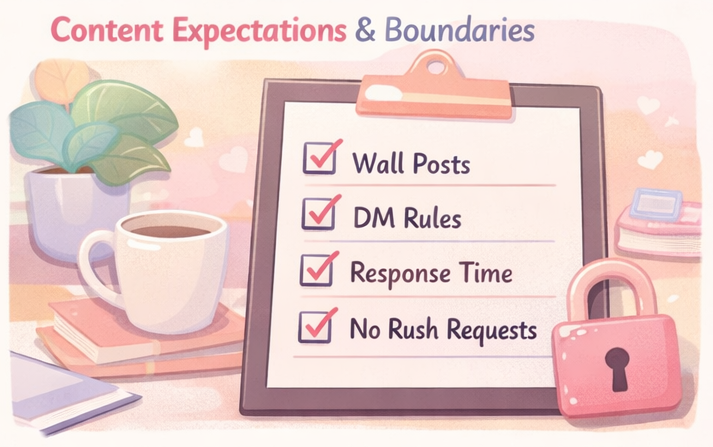
Setting boundaries isn't “cold.” It reduces drama and saves your time. This section covers:
- wall vs DMs
- response time rules
- a simple transparency line to reduce churn
Wall Content vs. DM Content
Say what people can expect on your wall vs in DMs. Keep it respectful and non-explicit.
Examples:
- “Wall = daily posts. DMs = more personal extras + requests.”
- “Wall is more ‘tease’ and lifestyle. DMs are where the deeper stuff happens.”
Clarity prevents refunds, complaints, and mismatched expectations.
Response Times and Request Rules
Pick rules you can actually keep:
- “I reply within 24 hours (unless I’m traveling).”
- “I don’t do rush requests. See the pinned post menu”
Example: If you can answer 20 DMs/day, don’t promise “always online.”
Transparency Messaging to Reduce Fan Churn
One line can save you a lot of stress:
“I’m not 24/7, but I do thoughtful 1:1 replies (usually within 24h). If you like quality chats, you’re in the right place.”
Note: This is not legal advice. OnlyFans policies are subject to change. Always check the current OnlyFans Terms of Service.
Source: https://www.esafety.gov.au/key-topics/esafety-guide/onlyfans
Clear CTA and Secure Link Setup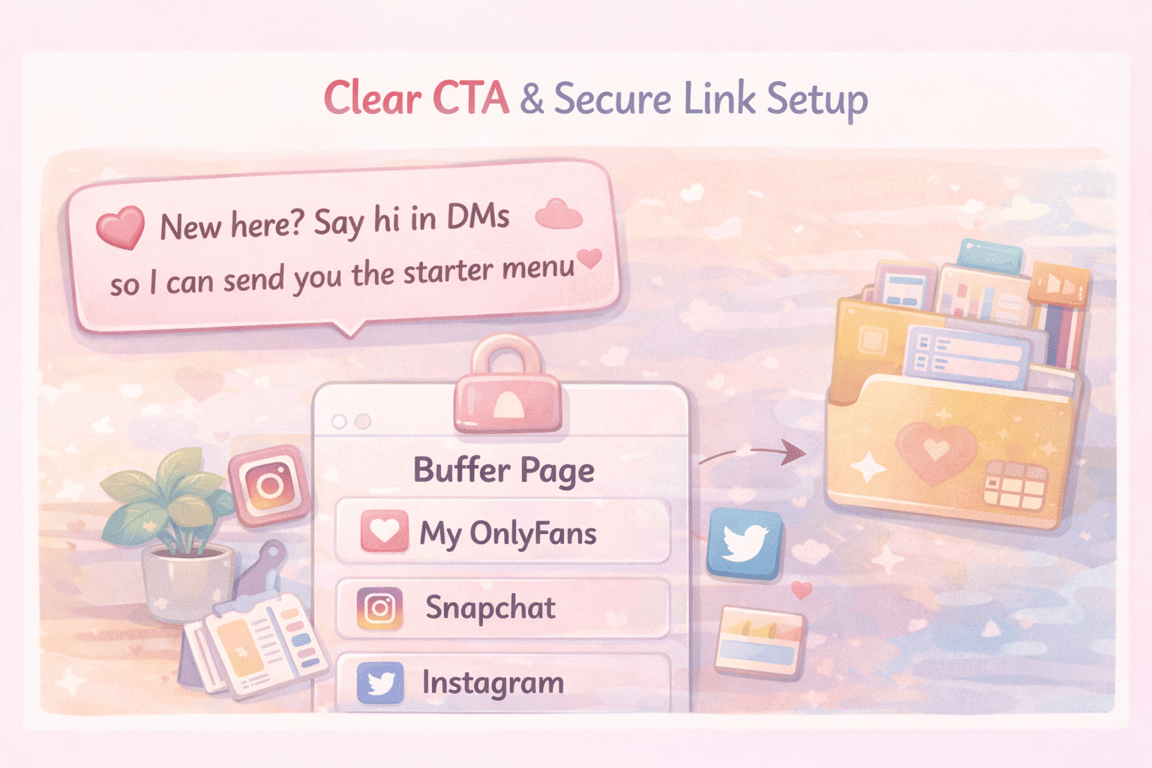
Now we'll link your profile to the next step
- Non-salesy CTA
- Link aggregation basics
- How to use pinned posts so new subs don’t feel lost
Once your bio and CTA are set, the next step is making sure your overall page setup matches the promise — this beginner's guide to setting up OnlyFans covers prices, welcome settings, and the first-day decisions that affect how fast you grow.
Non-Salesy CTA Examples
Use just one simple sentence:
- “New here? Say hi in DMs so I can send you the starter menu.”
- “Want the full vibe? Subscribe and tell me what you’re into (I’ll guide you).”
- “Tap subscribe, then check my pinned post for the welcome drop.”
Link Aggregation Basics
Direct links may get caught in platform filters. Using a link aggregation site can help protect your profile.
A social media profile link is a single URL on platforms like Instagram or TikTok that directs to a page with all your important links.
This can be useful because social platforms often limit bio links and creators prefer one clean hub page (Linktree/Beacons/Taplink-style).
Source: https://taplink.at/en/
Pinning Your Next Step
Make the first 5 minutes easy:
- Pin a welcome post
- Pin a “menu / what to do first”
- Pin your best starter set (your “proof”)
Your bio gets the click. Your pinned flow gets the first win.
DM Strategy: Moving Past Your Profile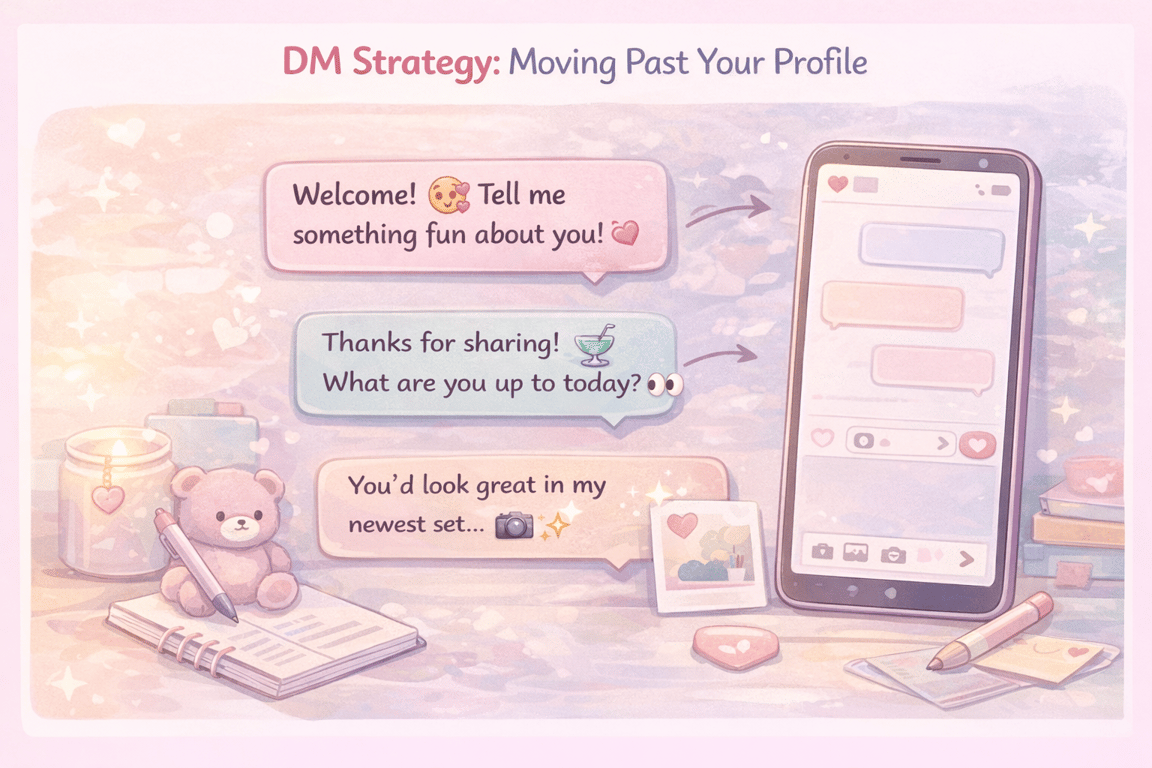
This is where most creators get stuck. Subscribers are growing, but managing DMs becomes exhausting. This section covers:
- Why this real-world example works:
- why personal beats mass blasts
- a human-led option if you want a better fan experience
Your bio gets them to subscribe — what happens in DMs determines whether they stay and spend. This full set of OnlyFans message ideas and templates covers the welcome message, daily engagement, and PPV pitches that turn new subscribers into loyal fans.
Real-World Welcome Message Examples
It's easy to rely on generic AI templates, but looking at what actual successful creators do is much more helpful. Here is a real example of a highly effective welcome message:
Why this real-world example works:
- Strong Identity: She immediately establishes her vibe ("a 100% Italian treat - sweet when I want to be, spicy when I need to be"). This sets expectations perfectly right from the start.
- Clear Call to Action: She explicitly tells the fan what to do next ("don't be shy - send me a message").
- Low-Friction Question: Asking "tell me something fun about yourself! Or just say hi" makes it incredibly easy for the subscriber to reply without thinking too much.
How to apply this to your own page: Instead of using robotic templates, create your welcome message based on this proven structure:
- Warm hello + Your unique vibe/identity
- A clear prompt to message you
- An easy, open-ended question to spark a chat
Why Personal Messages Beat Mass Blasts
People can instantly tell when a message is a copy-and-paste mass blast. Relying entirely on automated broadcasts can quickly drive your best fans away. Real connections—the kind that lead to loyalty and tips—happen in authentic, 1-on-1 conversations.
Let's look at a real DM exchange:
Why this natural approach wins:
- Genuine Curiosity: The creator is asking about locations ("living here in Florida") and time zones, establishing a real human connection rather than just acting like a business.
- Flowing Conversation: Instead of immediately pushing content, the creator asks casual questions ("what are you doing today aside from checking out my page?"). This makes the fan feel valued as a person.
- Setting the Hook: Once this casual rapport is established, the fan feels a sense of intimacy and is much more likely to open up, build loyalty, and eventually purchase PPV content.
A simple warm-up checklist to keep it real:
- Use their name.
- Ask about their day, location, or general interests.
- End with an easy question to keep the ball rolling.
That’s how you build a profitable connection without sounding like a sales bot.
Human-Led DM Assist Options Like FanPort
At a certain point, a great profile and a welcome message alone won't solve the real problem: managing a growing inbox without burning out. Trying to reply to everyone perfectly every day is exhausting, and that’s when fans start to feel ignored. While some creators might be tempted to use fully automated bots, doing so directly on platforms like OnlyFans violates their Terms of Service.
If you want to escape the endless "DM grind" and build deeper, more authentic relationships safely, consider a fan-centric platform like FanPort. FanPort is built on a simple philosophy: no fan gets left behind. It acts as your smart assistant, suggesting draft replies and remembering past conversations so you can keep interactions warm and highly personalized without starting from scratch every time.
Importantly, FanPort is human-led. You remain in complete control—especially when chatting with your VIPs and loyal subscribers—reviewing and approving messages before hitting send to ensure your unique voice shines through. This means you can maintain genuine connections and earn a high income through strong engagement, even if you have a smaller follower base. It’s the perfect way to free up your time while providing the premium, 1:1 experience your fans deserve.
Want to grow faster with this service? Click here.
FAQ
How long should my OnlyFans profile be?
Keep it short and scannable. You have limited space (often treated as a 1,000-character bio), so aim for clarity over length.
Source: https://www.supercreator.app/guides/onlyfans-bio-ideas-and-tips
What should I avoid putting in my profile?
Avoid long paragraphs, vague “welcome” lines, and promises you can’t keep (like “always online”).
Do emojis help or hurt my bio?
They can help scanning if you use them lightly. If it looks cluttered, remove half.
Should I mention prices in my bio?
If your price is stable and you’re not testing, you can mention it. If you run discounts often, keep pricing in a pinned post instead.
What matters more: my bio or my DMs?
A strong profile boosts subscription rates. Your DMs drive retention and loyalty (which leads to renewals, tips, and add-ons). Bio gets the “yes.” DMs keep the relationship.
Can I use an AI bot to reply to OnlyFans DMs?
No. Using fully automated bots on OnlyFans violates their Terms of Service and can result in a ban. If you want to use AI to help manage fan chats, you should look into separate AI-integrated platforms like FanPort, where AI assistance is built-in and safe to use.