When you are new to OnlyFans, you might feel overwhelmed by how quickly the term 'PPV' comes up.
Simply put, PPV stands for pay-per-view—fans payextra to unlock specific content, on top of their subscription. You may also come across the term "No PPV" in creator bios to make a promise about fees.
However, there's an important point that many beginners miss. PPV is more than just a "feature"—it's a combination of pricing and DM strategy.
once you understand where PPV appears and how fans experience it, your offers become clearer, less spammy, and easier to repeat.
Key topics from this article include:
- ✅ What PPV means (and how it’s different from your subscription)
- ✅ What “No PPV” really promises (and how to explain it clearly in your bio)
- ✅ Where fans actually encounter PPV on your page (DMs, posts, bundles)
- ✅ The main types of PPV (locked DMs, locked posts, bundles) and when to use each
- ✅ A beginner-friendly PPV pricing decision tree (with simple $ examples)
- ✅ How to avoid PPV fatigue while still making sales
- ✅ DM scripting tips that feel personal (not copy-and-paste spam)
- ✅ Safety + payment basics, including PayPal myths and chargeback red flags
By the end, you'll be able to define PPV correctly and build a simple, sustainable approach to pricing and selling it through DMs.
It’s all about finding a flow that makes money without making your DMs feel like a constant sales pitch.
OnlyFans PPV for Beginners and How It Works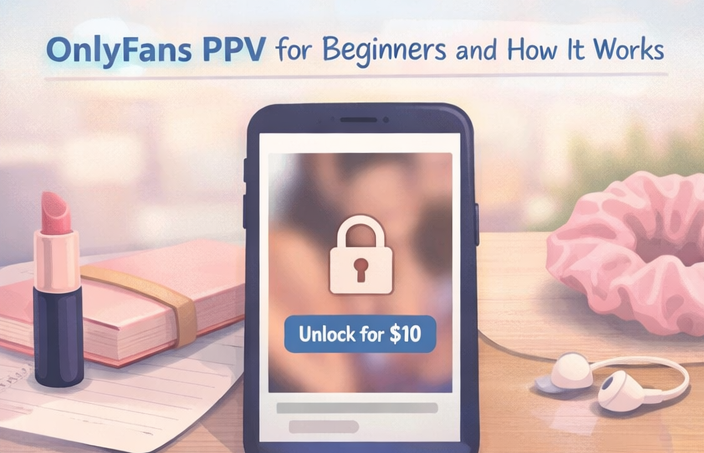
This section explains what PPV means, how fans unlock it, and where PPV appears on your page.
PPV on OnlyFans explained in simple terms
PPV stands for pay-per-view. On OnlyFans, it’s basically locked content that fans pay the optional “premium add-on.”
Common uses for creators:
- special drops (limited-time)
- bundles (multiple items)
- custom requests (if you offer them)
Source: https://fans-crm.com/blog/onlyfans-ppv-meaning/
How subscribers pay to unlock content
Steps for fans:
- They view locked items
- They tap to unlock
- They confirm payment
- The content opens
On the creator's side, you choose the format (DMs vs posts) and set the price.
Where fans encounter PPV on your profile
Fans usually see PPV in:
- Locked DMs
- Locked posts on your feed
- Bundles mentioned in captions or welcome messages
Quick bio line to reduce confusion:
- “Subscription covers daily posts. PPV is optional for special drops.”
Understanding No PPV Meaning and Profile Strategy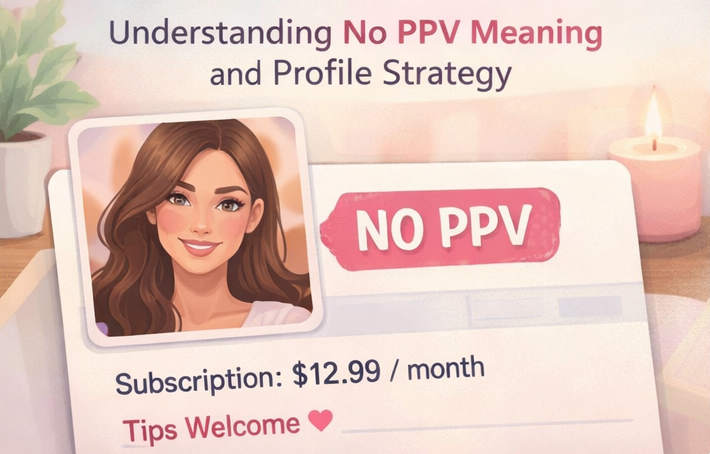
Let's clarify what "No PPV" means, why it's effective, and how it compares to
the low-sub + PPV model.
What "No PPV" promises to your fans
“No PPV” usually means your feed content is included in the subscription (no extra locked upsells on the public offer). But creators use it differently, so be clear.
Best practice:
- “No PPV on my feed. Tips optional. Customs by request.”
Source: https://thefutureofthings.com/27559-no-ppv-meaning/
Why creators choose the No PPV pricing model
Reasons creators pick this option:
- It seems straightforward
- It attracts fans who dislike constant upselling
- It minimizes complaints about PPV
The trade-off: you may rely more on a higher subscription, tips, or consistent posting value.
No PPV vs. low subscription with PPV upsells
No PPV
- higher sub
- fewer unlock prompts
- simpler vibe
Low sub + PPV
- lower setup expenses
- monetizing with adaptable "special access" content
- Better DM communication is needed
Neither is “best.” It depends on your style and comfort with selling in DMs.
Understanding PPV Content for Creators
Here are three key PPV formats to help you plan your pricing and content delivery.
Before diving into the formats, it’s crucial to understand how your fans actually see PPV on their screens.
If you need a ready-made list of what to actually drop as PPV — from low-effort phone shoots to VIP bundles — these 25 repeatable PPV ideas come with pricing tiers and matching DM scripts for each content type.
1. Locked Posts on the Feed 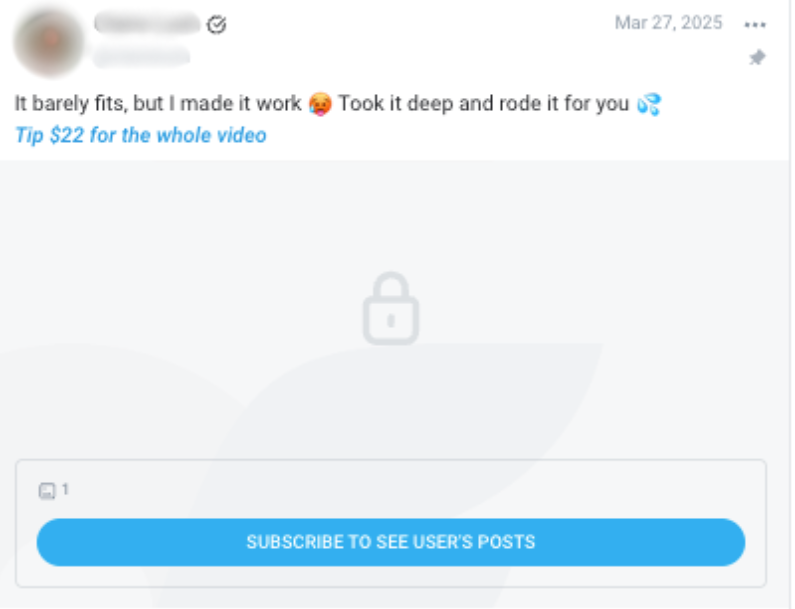
On your main feed, PPV appears as a blurred or locked box with a padlock icon. Fans must actively click "Unlock" or "Subscribe" (if it's a PPV on a free page) to see the content. The caption is your only sales pitch here, so it needs to be enticing (e.g., "Took it deep and rode it for you 💦 Tip $22 for the whole video").
2. Locked DMs
In direct messages, PPV appears as a sleek, clickable box with the price clearly displayed (e.g., "$10"). Because it's sent directly to their inbox, it feels much more personal. When a fan replies to a locked DM, it creates a direct conversation thread, making it highly effective for upselling.
Locked DMs: PPV sales methods
A locked DM hides the content until the fan pays. It works because it feels personal and doesn’t change your public feed.
Recommended tips for beginners:
- Exclusive access for active subscribers
- a limited bundle offer
- an optional welcome PPV (staying polite, not pushy)
Source: https://fans-crm.com/blog/onlyfans-ppv-meaning/
Locked Posts: Selling content on the main feed
Locked posts are paywalled feed posts. Advantages include:
- passive sales (fans discover later)
- building a content library
Tip: add a safe preview + a clear title so fans know what they’re buying.
PPV Bundles: Maximizing value for your fans
Bundles make PPV feel fair because the value is obvious.
Simple bundle names (non-explicit):
- “Starter pack: 5 favorites”
- “Weekend drop: 3 unlocks”
- “Behind-the-scenes bundle”
OnlyFans PPV Pricing Strategy and Flowchart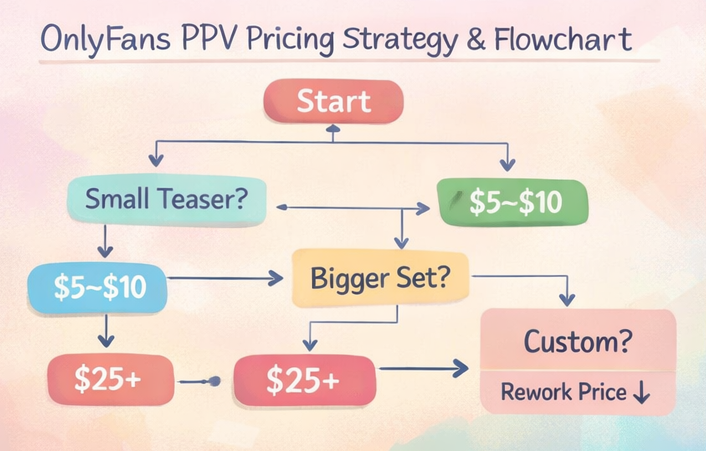
Need help with your prices? Here’s a simple cheat sheet, a value ladder, and tips to keep your fans from getting “PPV fatigue.”
Choosing the right price point matters more than most creators realize — this PPV pricing strategy guide walks through 3-tier menus, bundle math, and how to test prices without losing fans.
OnlyFans PPV Pricing Flowchart for New Creators
Use a system to keep your pricing consistent
Step 1: What kind of content is it?
- small teaser → $5–$12
- bigger set or bundle → $12–$25
- premium or custom request → $25–$50+
Step 2: Who is it for?
- mass DMs → easier “yes” price
- warm fans (they reply) → can go higher
- big spenders → offer a premium option too
Step 3: Is the value clear?
- clear preview + clear value → price up
- vague description → price down or rewrite
Starter ranges (adjust to your niche):
- small: $5–$12
- mid: $12–$25
- premium: $25–$50+
Creating a value ladder from $5 to $50+
A ladder helps you sell without forcing one price.
Example ladder:
- $7 mini unlock (easy yes)
- $15 main PPV
- $35 bundle (best value)
- $60+ premium/custom (if you offer it)
One-line math example:
If your subscription is $10, a $15 PPV can feel fair when it’s clearly “extra,” not expected in the sub.
Finding the balance to avoid "PPV fatigue"
PPV fatigue happens when every DM feels like a sales pitch.
Simple rule:
- For every 1 PPV DM, send 1–2 non-selling DMs (check-in, poll, thank you).
- Keep a predictable rhythm (example: “Friday drop”).
Source: https://undefinedtalent.com/blog/faceless-onlyfans-ppv-strategy-pricing-selling
Mastering PPV Sales through DMs and Using FanPort
Wondering why PPV sells best in DMs? Here are quick scripts and a fan-first way to stay consistent.
Real-World Example: The "Chat First, Sell Second" Framework Top creators don't just blast locked messages to everyone. They use a structured approach to build rapport before asking for money. Here is a proven pattern used by high-earning accounts:
Knowing what PPV is and actually selling it through DMs are two different skills — this step-by-step guide to selling PPV on OnlyFans covers setup, offer menus, and the DM scripts that convert.
Step 1: The Casual Connection 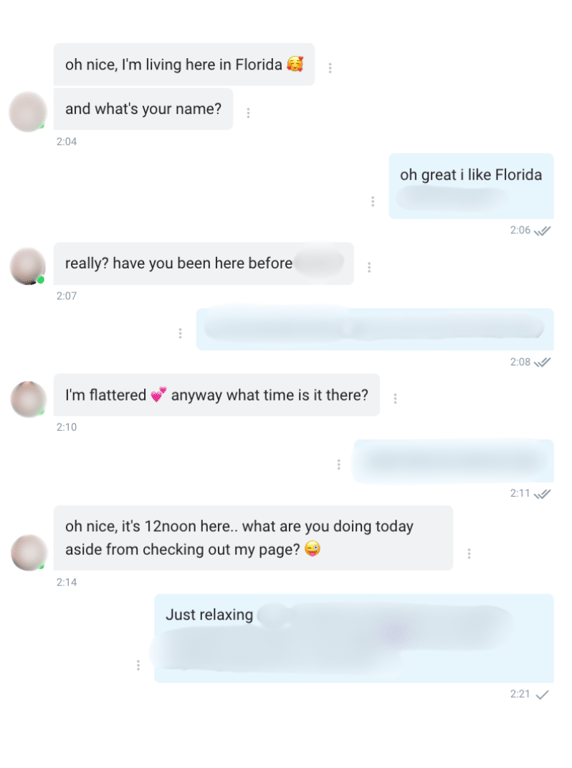
Instead of starting with a sale, they start with a conversation. Asking simple questions like "What time is it there?" or "What are you doing today aside from checking out my page? 😜" disarms the fan and gets them replying.
Step 2: The Custom Upsell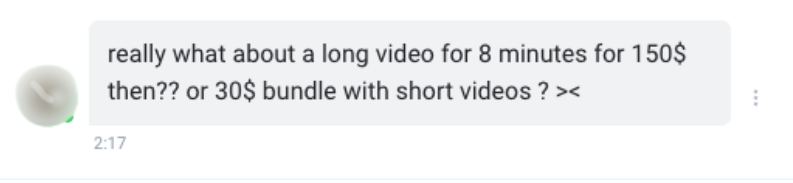
Once the fan is engaged, top creators listen to their needs and offer tailored bundles or custom videos. As seen in the example, a simple chat can turn into a $150 custom video or a $30 bundle negotiation.
Copy & Paste DM Scripts (How to use them) Below are some scripts you can use to replicate this success. How to use these templates: Replace the bracketed variables { } with your own details before sending.
Template 1: The Teaser Drop (Low Pressure)
"Hey 💛 I was just relaxing and made something special. Want a quick blurred preview to get you excited?" (If they say yes, send a free blurred pic + the locked DM) "Here you go! It’s {Price} to unlock the full {Length_of_video} minute video. Zero pressure though, just wanted to share 😘"
- {Price}: Insert your price (e.g., $10).
- {Length_of_video}: Insert the duration (e.g., 3).
Template 2: The VIP Bundle Offer
"Hey {Fan_Name}, since you've been so sweet lately, I put together a special {Theme} bundle just for you. 3 unlocks for {Discounted_Price}. Let me know if you want me to send it over! ✨"
- {Fan_Name}: The fan's display name to make it personal.
- {Theme}: Describe the vibe (e.g., shower, spicy weekend).
- {Discounted_Price}: A price that reflects a good deal (e.g., $25).
Why 80% of PPV revenue comes from your DMs
The exact % depends, but many creators see a big share of PPV sales coming from DMs because DMs are relationship-driven:
- you can tailor the offer
- you can answer questions fast
- fans feel “seen,” not broadcasted
Think of it like:
- feed PPV = discovery (slower)
- DM PPV = connection (faster)
FanPort: The Smarter Way to Handle Your DMs
When DMs get busy, the biggest risk is not just burnout—fans may feel ignored. However, using fully automated bots directly on OnlyFans is strictly against their Terms of Service and can destroy the genuine connection your fans are paying for.
If you want to escape the endless DM grind without losing your authentic voice, expanding to a completely separate platform like FanPort is the smartest move. FanPort is a standalone, fan-centric platform that uses AI strictly as an assist tool—a co-pilot that suggests DM drafts to reduce your workload.
You remain completely human-led. This is especially crucial for your VIPs and high-paying subscribers; you can review, add your personal touch, and hit send yourself. This workflow not only frees you from the exhausting labor of constant messaging but also allows you to build deep, direct relationships. With FanPort, even creators with a smaller follower base can maintain extremely high engagement and maximize their earnings.
Want to grow faster with this service? Click here.
OnlyFans PPV Safety and Payment Basics
Read this simple checklist, payment facts, and tips for handling chargebacks to protect yourself.
This is not legal advice.
OnlyFans policies are subject to change.
Always check the current OnlyFans Terms of Service.
PPV Safety and Privacy Compliance Checklist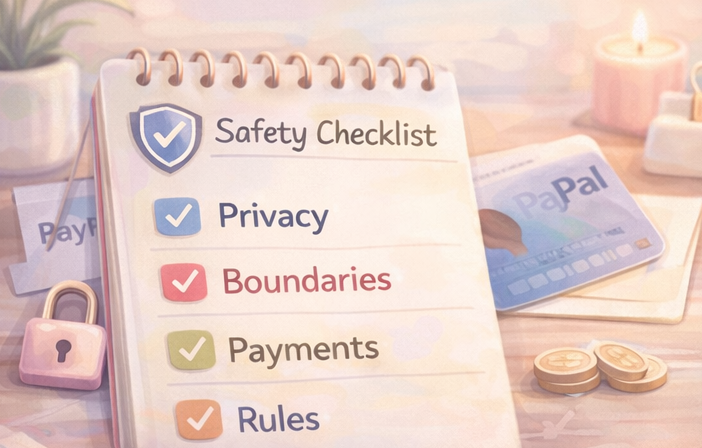
Privacy
- remove location metadata
- avoid personal info in backgrounds
- separate email/accounts for creator work
Boundaries
- don’t promise what you don’t want to make
- keep a “no list” so you don’t negotiate under pressure
Rules
- re-check OnlyFans Terms of Service when your content style changes
- avoid “workaround” language
Money
- track price, date, offer type, buyer
- save payout records for taxes/budgeting
The PayPal myth on OnlyFans and supported payment methods
Many creators find PayPal often isn’t available for subscriber payments on OnlyFans, and fans typically use cards or other supported methods depending on region/settings.
Safe wording to use with fans:
“Payment options depend on your region and OnlyFans.”
Managing chargebacks and identifying suspicious buyer behavior
Red flags:
- “Send first, I’ll pay later”
- pressure tactics
- brand-new account pushing extreme demands
Simple protection:
- keep PPV descriptions clear
- don’t negotiate under pressure
- if it feels unsafe, disengage and use platform tools
FAQ
Does OnlyFans take a cut of PPV earnings?
Yes. OnlyFans is widely reported to take about 20%, with creators keeping about 80%. Exact details can change, so always verify in your account and the current OnlyFans Terms of Service.
Source: https://www.businessinsider.com/onlyfans-users-annual-earnings-creators-2023-spend-2024-9
Can I change a post to PPV after publishing?
Sometimes you can edit post settings, but features and UI can change. The safest move is to check your current post options inside OnlyFans and confirm in the latest Terms/Help pages before relying on a workflow.
What does “No PPV” mean, and is it the better choice for creators?
“No PPV” usually means “no locked upsells,” especially on the feed. It can be great if you prefer simple pricing. It can be harder if you rely on PPV for big drops. Neither is automatically better.
Source: https://thefutureofthings.com/27559-no-ppv-meaning/
How often should I send PPV through DMs?
There’s no perfect number. A safe starting point for beginners is 1–2 PPV DMs per week, plus some non-selling DMs in between. If opens/replies drop, reduce frequency and rebuild trust.
What’s the easiest PPV price for beginners?
Start with one “easy yes” price (like $7–$12) and one main price (like $12–$25). Track what sells, then adjust.