If you've ever searched for information about tip menus for OnlyFans, you probably already know a cute menu alone isn't enough.
What you really want is a menu that makes buying feel easy, raises your average spend, and prevents your page from relying only on subscriptions.
That is the shift this article is built around. A strong tip menu isn't just a graphic; it's a buying path. When it's set up well, it helps fans choose faster, helps you protect your time, and creates cleaner upsells through DMs.
In this article, you’ll learn:
- how to build an OnlyFans tip menu that feels easy to buy from
- which OnlyFans tip menu ideas work better at different price levels
- what kind of OnlyFans tip menu examples usually upsell more naturally
- how to make an OnlyFans tip menu Canva design without overcomplicating it
- what to fix if tips are weak even though people are looking
The goal isn't to give you more clutter: the goal is to help you make more from the page you already have.
OnlyFans tip menu rules that make people actually buy
This section covers the core rules behind a menu that sells. This information will help you stop treating your menu like a decoration and start treating it like a simple buying system.
A tip menu works best as part of a larger pricing structure — this OnlyFans pricing strategy guide walks through how to align your subscription rate, PPV tiers, and tip menu so each one has a clear role in your income.
Make the first "yes" feel easy
Your first price point should feel light enough that a fan can buy it without overthinking. For example, include one clear “starter” option that's not too expensive (e.g., a small tip amount) with a simple deliverable (e.g., a short voice note or a quick selfie set). If every option starts too high, a lot of people will look, hesitate, and leave.
Price based on time spent, not mood
A menu gets messy when prices come from vibes. Price from effort, delivery time, and how personal the request is. The more your time or attention is involved, the more your price should reflect that.
Use the menu to lead into conversation
Business Insider’s creator examples show why this matters: some creators use tip menus not just for direct sales, but to set expectations for customs, DMs, and higher-value requests. For example, when someone tips for a “priority reply,” you can ask one quick preference question and offer two next-step options (a small add-on and a mid-tier upgrade) so the conversation naturally moves toward a bigger buy. The menu isn't the end of the sale: it's often the start of it.
Source: https://www.businessinsider.com/how-OnlyFans-creators-make-price-tip-menus-examples-templates-2023-5
OnlyFans tip menu ideas by price tier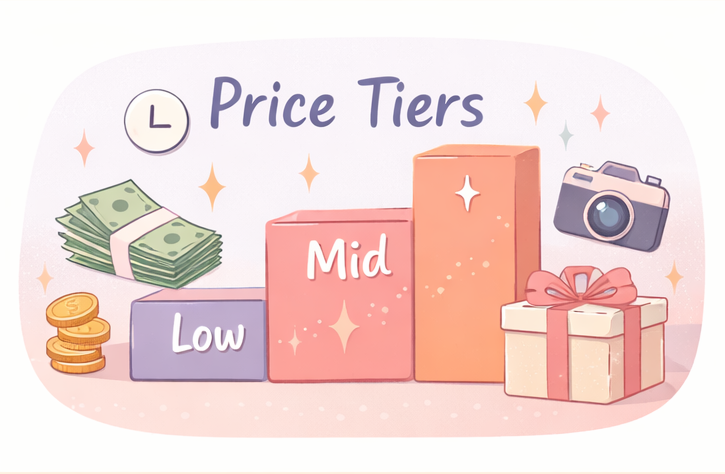
This section suggests tip ideas for an OnlyFans menu based on price points, in order to help you build a menu that feels balanced instead of dumping every idea into one long list.
Low-tier ideas
This is your easy-entry layer—the first "yes." Keep it fast to deliver (minutes, not hours) and make it crystal clear what the fan gets.
Examples include a short voice note, a casual selfie set, a sweet good-morning message, or a priority reply.
Copy & Paste Menu Examples:
- Dick Rating (Text only): $5
- Quick Voice Note (1 min): $5
- Good Morning Selfie (Unseen): $10
Real-World Example:
In one creator example, a low-tier $10 locked video bundle in the DMs works as an easy first purchase. The menu sets the price expectation, and the actual offer happens naturally inside the chat.
Mid-tier ideas
This is where fans pay for more attention and customization. These offers take meaningful time, so set a clear deliverable and a delivery window (e.g., within 24–72 hours). Examples include a themed photo set, a longer voice message, a short custom clip, or a scheduled chat window.
Copy & Paste Menu Examples:
- Custom Video (per minute): $15/min (Max 5 mins)
- Boyfriend Experience (GFE) - 1 Day: $50
- Custom Photo Set (5 Pics): $30
Real-World Example:
Here is one example of a mid-tier offer in practice. The creator teases the content and uses a clear call to action ("Tip $22 for the whole video"). This works well alongside a tip menu because the price matches the mid-tier range and creates a natural transition from browsing to buying.
High-tier ideas
This is your limited layer—not everyday. Make these capacity-controlled (limited slots) and pre-defined so they don’t take over your week. Examples include custom bundles, limited weekly access, or a structured “priority” package with clear boundaries, a start/end date, and a description of what's included.
OnlyFans tip menu examples that lead to better upsells
This section gives examples of tip menus that do more than list prices, which can help you choose a format that matches how you actually sell.
The simple fixed-price menu
This works well when you want less back-and-forth. It is clean, easy to scan, and easy for newer fans to understand. Business Insider’s reporting also showed that creators who kept menus easy to read and straightforward for convenience made buying feel safer and easier.
Source: https://www.businessinsider.com/how-OnlyFans-creators-make-price-tip-menus-examples-templates-2023-5
The flexible premium menu
This works better when your page leans heavily on customs or DM-led upsells. Some creators leave certain premium items unpriced so they can adjust based on the person, what the person's asking for, and the amount of time involved. That can work well, but only if your boundaries are already clear.
Source: https://www.businessinsider.com/how-OnlyFans-creators-make-price-tip-menus-examples-templates-2023-5
Copy & Paste Menu Examples:
- Custom Video (Highly Specific): Prices start at $100 (DM to discuss)
- VIP Weekly Access: Limited slots, DM for application
Real-World Example:
In this screenshot example, the creator negotiates a high-tier custom video ($150 for 8 minutes) while also offering a mid-tier alternative ($30 bundle). This shows why premium items do not always need fixed prices on the graphic—the menu gets people to ask, and the negotiation happens in the DMs.
The seasonal or game-style menu
This is the menu that feels playful. Holiday bundles, themed drops, or light “spin” style offers can make tipping feel more active and less repetitive. This works best when it's occasional, not constant, so the page still feels intentional.
How to make an OnlyFans tip menu in Canva or from free templates
This section covers the actual menu-building process. The information listed here can help you create an OnlyFans tip menu design on Canva or start with some free template ideas without making it more complicated than it needs to be.
Start with a plain-text menu first
Before Canva, before colors, before fonts: write the menu in plain text. List the offer, the price, the delivery window, and any limits. If the menu only looks clear as a graphic but not as text, it's probably still too messy.
Then turn it into an OnlyFans tip menu Canva layout
Business Insider’s creator examples show that Canva is a common tool for building tip menus, and Etsy’s marketplace is full of editable Canva templates, often priced in the low single digits to low teens. That is one reason many creators search "OnlyFans tip menu template Canva," "OnlyFans tip menu free," or "Etsy OnlyFans tip menu" before choosing a format.
How to actually build it in Canva (Step-by-Step):
- Search for Templates: Open Canva and type "Price list" or "Menu" in the search bar. You don't need an "OnlyFans" specific template; any clean salon or cafe menu can be repurposed.
- Customize the Text: Click on the text boxes and paste the plain-text menu you drafted earlier.
- Keep Formatting Clean: Use easily readable fonts (like Arial, Montserrat, or Helvetica) for the prices. Avoid overly cursive fonts that are hard to read on mobile.
- Export for Mobile: Download the image as a high-quality PNG or JPG. Choose a vertical size (like 1080x1920, standard IG Story size) so it fills the screen perfectly when fans view it in your DMs.
Source: https://www.businessinsider.com/how-OnlyFans-creators-make-price-tip-menus-examples-templates-2023-5
Source: https://www.etsy.com/market/OnlyFans_menu_Canva
Place it where fans can actually use it
A menu hidden in one old post is not doing much. Some creator guides suggest that tipping features may not be fully available on newer accounts and may require additional setup, so the safer takeaway is to focus on placement: pinned posts, welcome DMs, and repeat mentions inside conversations.
Source: https://infloww.com/blog/OnlyFans-tip-menu
What your OnlyFans tip menu says about your upsell flow
This section helps you diagnose what is really happening after the menu is live. This matters because low tips often aren't the result of a design problem: they're an upsell-flow problem.
If interest is there but DMs feel heavy, the bottleneck is usually your conversation approach — this guide to OnlyFans message ideas and DM templates includes tip-friendly lines and the upsell scripts that make asking feel natural, not pushy.
If people look but don't tip, the menu is probably too vague
This usually means the offers sound generic or the first step feels too big. Fans may be interested, but they still don't know what to buy first.
Fix: add one clear “Start here” item and rewrite 2–3 offers so they describe exactly what the fan gets (and when).
If they tip once but never buy up, the ladder is probably weak
A good menu should have a natural next step. If someone buys one small item and then disappears, the issue may be that your mid-tier layer isn't clearly connected to the first purchase.
Fix: pair each low-tier item with a simple upgrade prompt (e.g., “Want the longer version?”) so the next buy feels obvious.
If interest is there but DMs feel heavy, conversation is now the bottleneck
This is where a lot of creators get stuck: DMs become the bottleneck. A tool like FanPort can help reduce reply load by suggesting context-aware drafts based on past conversations while still keeping the creator in control of what gets sent. Used well, that can make follow-up more consistent and lower burnout risk without turning the page into a fully automated experience. Your tip menu opens the door, and a tool like this can help you handle the conversation more sustainably.
Want to grow faster with this service? Click here.
FAQ
What should an OnlyFans tip menu include?
Usually: small easy-entry items, mid-tier personalized offers, and a few higher-ticket limited offers. Keep it readable and easy to scan.
Are OnlyFans tip menu ideas from Reddit worth using?
They can be useful for inspiration, but copying random prices from Reddit threads usually doesn't work as well as pricing around your own time and boundaries.
Should I use free menu templates or should I buy them?
Either can work. Free templates are fine if the text is clear. Paid templates can save time, but they don't fix weak pricing or weak offers by themselves.
What OnlyFans tip menu size works best?
There is no single required size, but a simple square or vertical layout is usually easier to read on a phone.
Do I need an agency or an OnlyFans agency contract just to build a tip menu?
Usually no. A menu problem is often a strategy problem, not an agency problem. If you're ever considering an OnlyFans agency contract, read commission terms, content ownership, and exit terms very carefully.
Do tip menu earnings still matter for taxes if I don't get a 1099-K?
Yes. IRS says the 1099-K threshold reverted to over $20,000 and over 200 transactions, but whether or not you get the form, income may still need to be reported.
Source: https://www.irs.gov/newsroom/irs-issues-faqs-on-form-1099-k-threshold-under-the-one-big-beautiful-bill-dollar-limit-reverts-to-20000
Source: https://www.irs.gov/businesses/what-to-do-with-form-1099-k