If you've ever searched the web for information on OnlyFans payouts, you probably aren't looking for complicated theories. You want the simple version: how do you actually withdraw your money, how long does it take, and what goes wrong when the payout doesn't make it into your account.
This guide addresses these questions. The payout side of OnlyFans can feel confusing at first because there is a difference between money earned, money that's available to withdraw, and money that's actually landed in your bank.
In this article, you’ll learn:
- how the OnlyFans payout system works
- which OnlyFans payout methods and options might show up
- how long it takes to get a payout from OnlyFans
- what “your OnlyFans payout has been processed” actually means
- why you might get an "OnlyFans payout rejected" message and what to fix first
The goal is to help you keep more of your money and waste less time stressing over the payout screen.
How the OnlyFans payout system actually works 
This section explains the basic logic behind the OnlyFans payout system. The information here will help you understand what you are looking at before you start changing payment methods or contacting support.
Understanding how payout fits into your actual take-home means knowing all the fee layers — this full breakdown of what OnlyFans takes from creators includes platform fees, tax estimates, and net income examples across different earning levels.
What the payout percentage means
OnlyFans keeps 20% of fan payments and the creator keeps 80%; that's the platform-side split, not your final real-life take-home after taxes or banking costs.
Source: https://onlyguider.com/blog/onlyfans-payout/
What the minimum payout usually is
For standard bank-style withdrawals, the minimum payout is usually $20. Some alternative methods may have higher minimums, so the exact number can depend on the method showing in your account.
What your payout screen is really showing
The most important split is pending balance versus current or available balance. OnlyGuider’s 2026 guide says that Pending Funds are funds that are still being held for the holding period, while Current Balance is the income you can actually request right now.
OnlyFans payout methods and payout options to check first 
This section covers the OnlyFans payout methods most creators look into first, so you can choose a method that fits your country, bank setup, and speed expectations.
Direct bank transfer is the default
For many creators, direct bank transfer or direct deposit is the cleanest starting point. CreatorHero says bank transfer is still the most standard route, especially in supported countries, with timing that may vary by location and bank.
Source: https://www.creatorhero.com/blog/onlyfans-payout-methods
Other payout options may depend on country
Some guides also describe e-wallet or intermediary options in certain regions, but availability can depend on your country and account setup. Infloww and CreatorHero both frame payout options as something you should confirm inside your own settings rather than assume they're available based on a screenshot of someone else's settings.
Payout via Revolut is not a guaranteed payout method
When it comes to OnlyFans payouts, the safest way to think about Revolut is like this: it may work in some cases—if you're using eligible bank details in your region—but we don't recommend treating it as a separate, guaranteed official payout category.
OnlyGuider mentions Revolut as one possible bank-side workaround when regular banks block transfers, which suggests it is more of a receiving-bank question than a special native payout rail. That means support can depend on your local account details, currency, and region.
OnlyFans payout time: a step-by-step timeline from "pending" to “processed” to "deposited"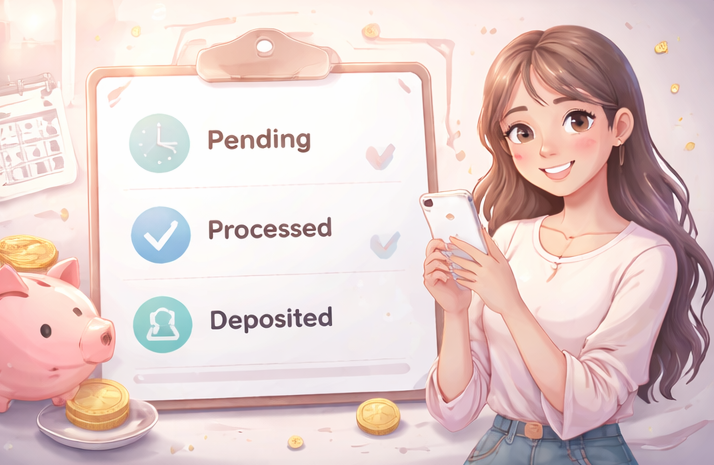
This section breaks down OnlyFans payout times in the order most creators experience them, so you know whether you actually have a delay or whether your bank is simply still processing it.
Step 1: wait for funds to become available
Before you can cash out, the money usually has to clear first. Several current creator guides describe a standard seven-day waiting period before earnings move from pending to available.
Step 2: request the payout and let OnlyFans process it
Infloww says you can request a payout from the earnings area once your balance is high enough, and that processing may take anywhere from a few hours to a few days depending on traffic and timing.
Source: https://infloww.com/blog/onlyfans-payout-method
Step 3: "processed" does not always mean “already in your bank”
This is the part that confuses many creators. If your OnlyFans payout has been processed, it usually means OnlyFans has finished its side of the transfer, but your bank may still need additional business days to post the money.
OnlyGuider’s 2026 guide says a “Sent” or “Completed” style status can still mean the receiving bank is reviewing or posting the payment.
Source: https://onlyguider.com/blog/onlyfans-payout/
Guidelines for setting up OnlyFans payout details without problems
This section covers the boring setup rules that prevent avoidable payout stress, in order to help you avoid the kind of mistake that only shows up after you already need the money.
Use your own legal-name account
Using a parent’s bank account for OnlyFans payouts is usually not recommended.
The bank account name should match your OnlyFans account and verification documents, and payouts to someone else’s account may be rejected.
Match your bank details exactly
Small errors matter here. Name mismatches, incorrect IBAN or SWIFT details, or outdated banking information can all stop a payout from going through. This is one of the first things to check if your payout fails.
Test with one normal payout before scaling up
If you just changed your payout details, don't assume everything is working perfectly just because the form saved successfully. It is usually smarter to confirm that one normal payout goes through before relying on larger or recurring withdrawals.
OnlyFans payout rejected: the most common reasons and what to do next
This section helps you diagnose an OnlyFans payout rejection without spiraling: the fix is usually more specific than it feels in the moment.
Payout issues are sometimes connected to the same account problems that affect other payment types — this guide to OnlyFans payment covers how the fan payment side works, how chargebacks happen, and what creators can do when things go wrong.
Name mismatch between your OnlyFans account and bank account details
Your payout request may be rejected if your legal and banking details do not match, or if you try to use a bank account registered to someone else.
Your bank blocks transfers from adult platforms
OnlyGuider’s guide also notes that some banks block incoming transfers connected to adult platforms. In that case, the problem may not be your OnlyFans account at all: it might be the bank.
Your payout method or bank details no longer match your account details or country
If your region, payout method, or banking details have changed, your old setup may stop working. Infloww says you can go into the payout settings, change the default payout method, and update your bank details for future withdrawals.
After your OnlyFans payout lands: take-home pay, taxes, and hidden time costs
This section covers what creators often overlook after the money arrives, so you can protect your real take-home income, not just the number on the payout screen.
This is not legal advice. OnlyFans policies are subject to change. Always check the current Terms of Service.
Gross vs. payout vs. take-home: know what earnings you actually keep
Your gross earnings, your post-fee payout, and your real take-home are not the same number. The sooner you separate those mentally, the less confusing your business becomes.
Keep tax records even if you never receive a form
The IRS says the Form 1099-K threshold reverted to more than $20,000 and more than 200 transactions, but that reporting threshold doesn't make smaller amounts non-taxable. Income can still need to be reported even if no form shows up automatically.
Source: https://www.irs.gov/newsroom/irs-issues-faqs-on-form-1099-k-threshold-under-the-one-big-beautiful-bill-dollar-limit-reverts-to-20000
Don’t ignore the DM time cost behind your earnings
A lot of creators focus on cash-out timing and forget the hidden cost behind those earnings: the hours spent in DMs. Making money is great, but spending all day in your inbox just to maintain that income is hard to sustain. Tools like FanPort aim to reduce that workload by helping with draft replies and fan memory while still keeping you in control of the final message. That can make it easier to protect your time without losing the personal touch your subscribers expect.
Want to grow faster with this service? Click here.
FAQ
What is the minimum allowed OnlyFans payout amount?
Usually $20 for standard bank payout methods. Some alternative methods may use different minimums.
How long does an OnlyFans payout take?
Many creators deal with a three-part wait: first the balance becomes available, then OnlyFans processes your request, and then the bank processes the transfer. Exact timing depends on the payout method and your bank.
What does “your OnlyFans payout has been processed” mean?
This usually means that OnlyFans has finished with its side of the transfer—your bank may still need extra time before the money becomes available.
Can I use my parent’s bank account for OnlyFans payout?
Usually no. The name on the bank account should match your verified account details and documents.
If I never got a 1099-K, do I still owe taxes?
You might. The IRS threshold controls when a form must be issued, not whether the income exists for tax purposes.